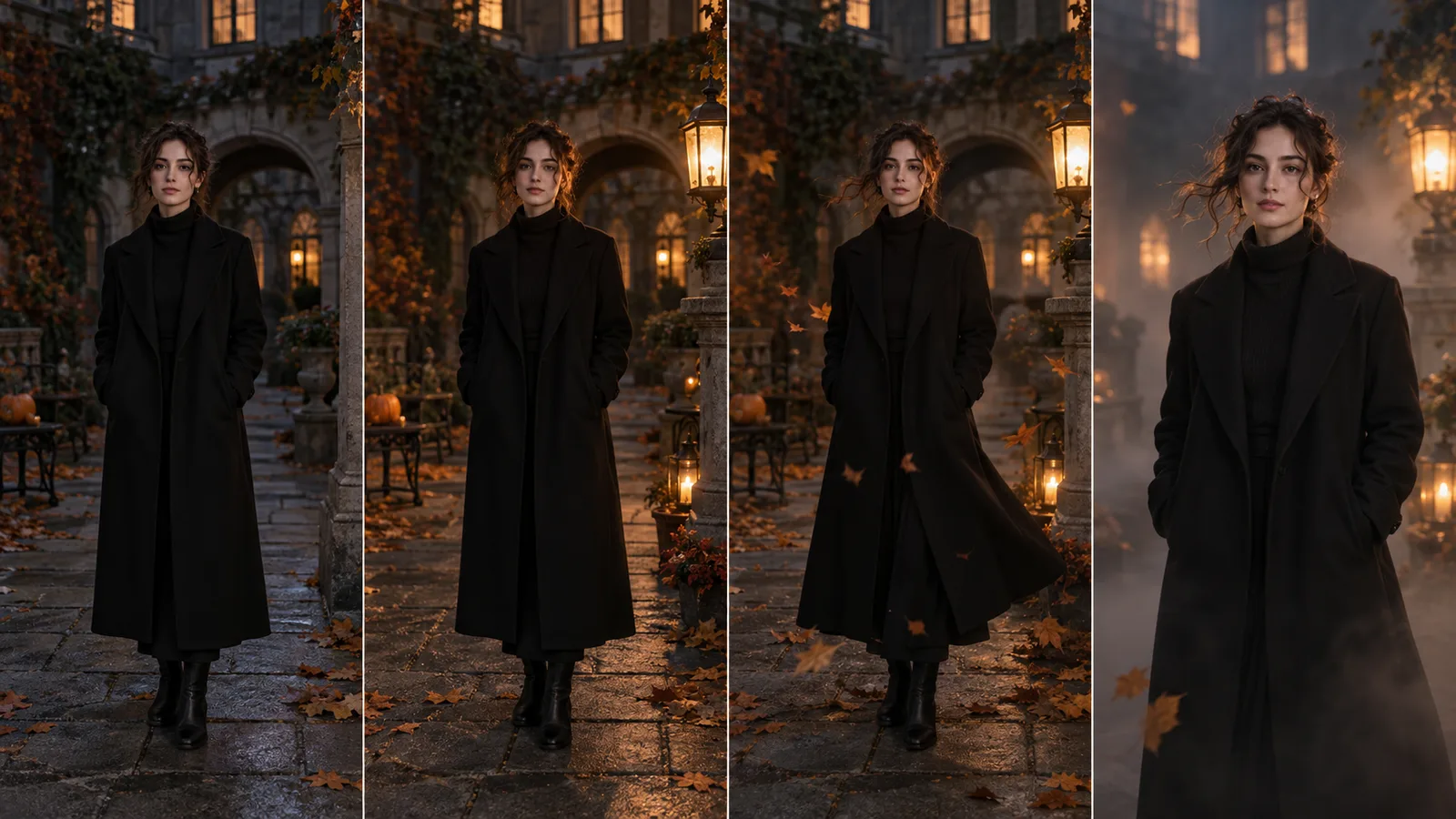
One strong portrait and one controlled motion are enough for a Halloween AI video
Do not change the costume, background, expression and camera at the same time. First prepare a recognizable themed portrait, then assign one four-to-six-second action: a lantern turns on, a breeze moves the coat, or the camera slowly pushes in. A restrained clip is easier to verify and reuse.
Choose an effect that reads without a complicated plot
A short vertical clip should feel like a photograph coming to life, not a compressed movie scene. Viewers need to recognize the face, atmosphere and one change immediately. Keep the face and hands in the central safe area and move decorative details toward the edges.
The most predictable option: light changes while pose and identity stay fixed.
The background moves while the face remains the visual anchor.
Useful when the static look is already complete.
Build a stable themed portrait before animating it
Use a waist-up or closer image with both eyes visible, clear hair edges and either complete hands or no hands in frame. If the outfit needs changing, create the still version and verify identity first. Follow the face-preservation checklist before adding motion.
Eight prompts for a single-frame video
Keep the camera locked. A warm lantern on the right slowly turns on and softly lights the face. Preserve pose, identity and gaze. Add only subtle breathing; no lip motion and no clothing change.
A light breeze moves a few strands of hair, the edge of the coat and dry leaves in the background. Keep the face, hands and body stable. Use a slow camera push-in with no sudden turn.
A thin layer of fog crosses the bottom of the frame and remains behind the person. Do not change the face or key light. Add no masks, characters or new objects.
The candle flame moves gently and its warm reflection shifts slightly on one cheek. The person blinks once and keeps a neutral expression. No speech, smile or head movement.
Cool moonlight gradually becomes visible in the background while warm key light stays on the face. Use a slow push-in and keep anatomy and clothing unchanged.
The person slowly moves their gaze from the camera to the lantern with almost no head motion. Keep hair and clothing still. Preserve the exact eye, nose, lip and jaw shapes.
Create a short 9:16 clip. The person remains in the central safe zone while three or four leaves fall slowly in the background and light flickers slightly. Leave clean space above for a caption.
Create a seamless loop: the lantern grows slightly brighter and returns to its first state while one leaf crosses the background. Match the first and last frame; keep face and pose unchanged.
Prompt formulaOver [4–6 seconds], [one action] happens. The camera [stays locked/slowly pushes in]. Preserve face, pose, clothes and setting. Move only [one or two elements]. No speech, new objects or identity change.
Limit the model's freedom
Words such as “cinematic” or “magical” do not define motion. State direction, speed and boundary: “fog only behind the shoulders,” “a ten-percent push-in,” or “one calm blink.” For a complex source, test camera movement without facial animation first.
A blink is safer than speech, a broad smile or a head turn.
Choose a push-in or a slight arc, never several moves at once.
Leaves plus light are enough; fog would add a third risk.
Check the full clip, not only its best frame
- Is the face stable?Eyes, teeth, nose and jaw do not drift between the first and last frame.
- Does age remain consistent?Skin and features do not suddenly become younger or older.
- Does fabric follow the body?The coat and sleeves never pass through arms or shoulders.
- Does light have a source?Lantern flicker agrees with shadows on the face and set.
- Does the first frame work as a cover?The clip is understandable before playback.
- Is the format safe?UI overlays do not cover faces, hands or essential decor.
If identity drifts, shorten the clip, remove expression changes and keep only environmental motion. Compare the workflow with the guide to animating an autumn photo.
Remove one source of motion at a time
If the clip is unstable, disable facial motion first, then camera movement and finally environmental effects. Comparing versions with one changed variable reveals what causes identity or clothing drift. Add elements back only after a stable four-second test.
The strongest Halloween clip feels like a carefully animated portrait
Approve the still image, choose one movement and inspect the whole clip frame by frame. Light, atmosphere and camera rhythm create the mood—not a pile of effects.