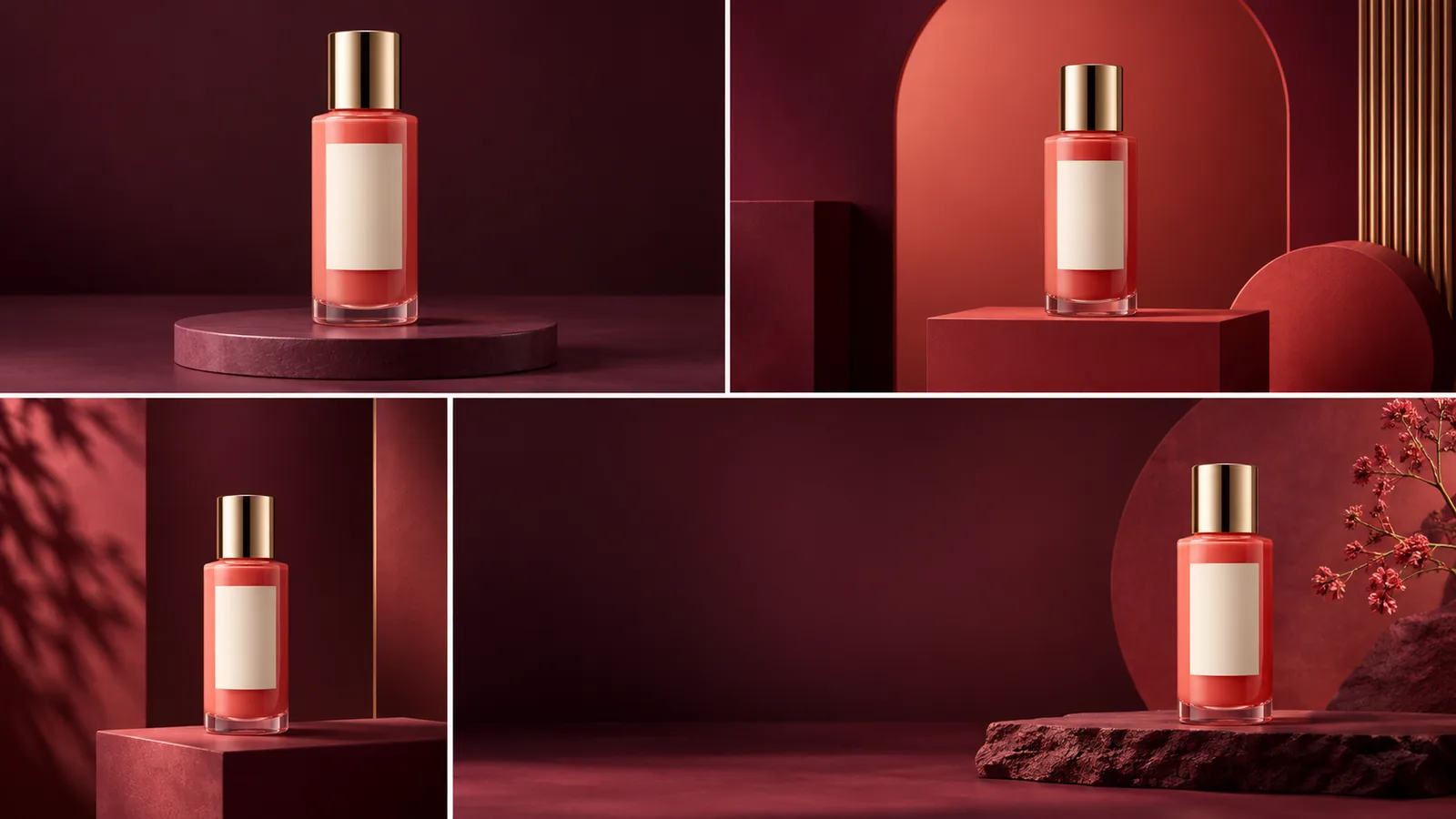
For an 11.11 sale, generate the product scene and add price copy separately
AI can build a coherent sale visual system, but it should not invent packaging, prices or promotion terms. Start with a neutral product master, lock shape and color, generate three layouts with clean copy areas, and typeset the verified offer as a separate editable layer.
Build three campaign crops, not three unrelated designs
Prepare a catalog square, a vertical story and a wide site banner. Background, light, accent color and product scale should repeat across the set. Only product placement and the copy area change.
The product fills 55–65% of the frame and the offer stays legible on mobile.
Top and bottom UI zones remain clear while the product stays central.
The product shifts to one side, leaving a calm headline area.
The master image must show everything that cannot change
Use a sharp image without hands or occlusions. The cap, label, material, edges and true color must be visible. A festive set cannot repair distorted source packaging. Start with the guide to a consistent AI product series.
Seven visual directions for an 11.11 campaign
Place the referenced product on a low burgundy podium. Preserve exact shape, color, cap, material and label size. Use crisp studio light and leave a clean area on the right. No letters, numbers or packaging changes.
Create a minimal ad scene with a deep red-to-plum gradient. Keep the product upright in the center. Add two soft geometric shadows for energy. Do not change the product or add sale badges.
Create a 1:1 layout: a large product on a clean light surface, one red circle behind it and a soft grounded shadow. Leave the top quarter empty. Match product geometry and color to the source.
Create a 9:16 composition with the product below center. Keep the top 30% clean and important details out of the bottom UI area. Dark background and a narrow warm highlight; no copy, digits or logos.
Create a 16:9 banner with the product on the right and a large quiet area on the left. Repeat the red-plum palette and studio lighting. Add no other products, ribbons, percentages or pseudo-text.
Place the two referenced products at different heights on one podium. Preserve the scale, shape and label of each item. Use one light source and a shared shadow. Do not invent bundles or gift packaging.
Create a higher-contrast version of the same set for the final sale day: deep background, a narrow light accent and more clean copy space. Keep the product completely unchanged and include no embedded text.
Prompt formulaCreate an [format] for an 11.11 sale. Preserve the referenced product's shape, color, material, cap and label. Background: [description]. Product position: [position]. Leave [area] clean. No copy, prices, percentages, logos or new packaging details.
Add the offer after selecting the final scene
Approve the text-free image first. Then add the sale name, current and previous price, dates and required conditions in a layout tool. “11.11” should not be the only message: a shopper still needs to understand the product and value.
The image identifies the item; copy explains the offer.
Price and action remain readable without covering the product.
Never generate stock pressure, ratings or discount size.
Compare every asset with the product master
- Does the silhouette match?Height, width, cap and proportions stay unchanged.
- Is product color accurate?Red set lighting has not recolored the packaging.
- Is the label stable?Its dimensions and position have not drifted.
- Is the shadow plausible?The product sits on a surface instead of floating.
- Is the offer verified?Prices, discounts and dates come from the current sales system.
- Do all crops belong together?Palette, light and scale form one campaign.
If the product changes, return to the master and replace only the background. Use the controlled product-background workflow for difficult items.
Separate product errors from composition errors
If the bottle changes, return to the master and request only a background replacement. If the item is accurate but copy space is weak, change the crop without restyling. This order preserves approved details and avoids rechecking the entire campaign.
A strong 11.11 banner sells the real product, not the generation effect
Lock the item, build one visual system in three formats and keep commercial copy as a separate verified layer.